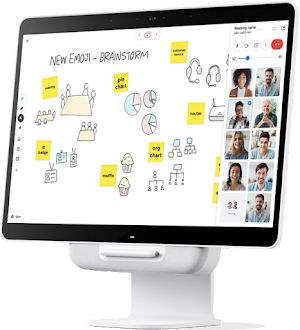
You can use the Google Meet Series One Desk 27—an all-in-one touchscreen device—with personal desktops and in small shared spaces. Use it to collaborate in meetings or as a monitor for your computer.
What you can do with the Desk 27
Start and join meetings
The Desk 27 is a video conferencing solution for small spaces (1–2 people). It includes a 27-inch touchscreen, camera, microphone, and speakers. It’s an all-in-one device.
Brainstorm ideas with the whiteboard
A built-in digital whiteboard can be used alone or during a Meet meeting.
You can also collaborate in real time with colleagues using a third-party application on a web browser or mobile device.
People in up to 50 other user sessions can work on a whiteboard session at once.
Use your Desk 27 as a monitor
Connect your laptop to your Desk 27 and use it as your primary display or a second monitor.
See: Use your Desk 27 as a monitor