Your Nest thermostat needs to know what kind of heating system you have so it can correctly control it. To help you identify what system you have, here’s a breakdown of how each system works.
During setup, your thermostat will ask what type of system you have and the type of fuel it uses. It’s important that you enter the correct system information during thermostat setup.
Note: If your heating type isn’t listed below, then your system probably isn’t compatible with Nest thermostats. If you’re not sure what type of heating system you have after reading this article, contact a Nest Pro in your area to help with installation.
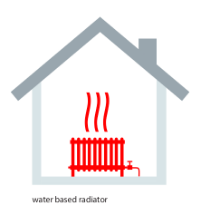
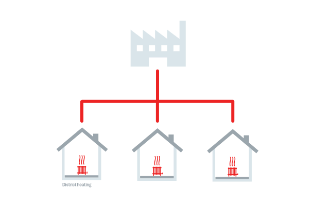
Hydronic RadiatorsSystem type: Hot water Fuel type: Most boilers are fueled by gas or Sometimes, radiators receive hot water Learn more about district and collective How heat is distributed: Water-based The boiler heats water that enters the Does the Nest thermostat replace my |
|
Electric radiatorsSystem type: Radiators Fuel type: Electric How heat is distributed: Electric radiators
|
 |
In-Floor Hydronic RadiantSystem type: Hot water Fuel type: Most boilers are fueled by gas or Sometimes collective or district heating How heat is distributed: Water-based in- |
 |
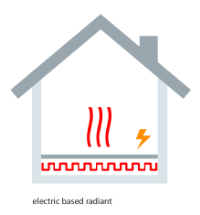
In-Floor Electric RadiantSystem type: Under floor Fuel type: Electric How heat is distributed: Electric in-floor Because these systems use high current, |
 |
Wood or biofuel stoveSystem type: Stove Fuel type: Wood or biofuel How heat is distributed: Wood, biofuel, and These systems rarely have thermostats, so |
|
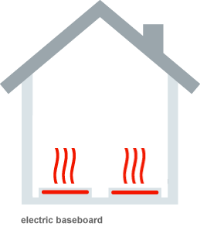
Electric baseboardSystem type: Baseboard radiator Fuel type: Electric How heat is distributed: High current mains These systems rarely have thermostats, so |
 |