When you search for videos and other content on YouTube, you can refine your search by using advanced filters.
After entering your search terms in the search box on any YouTube page and getting results, click Filter  .
.
Older experience

Newer experience
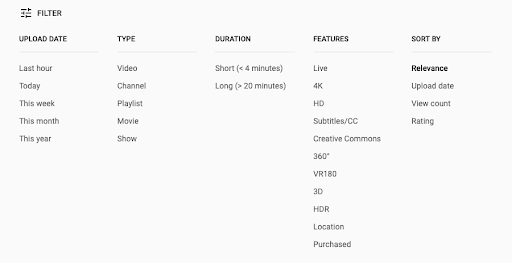
You can filter by the type of content (like video, playlist, or movie). For example, if one cat video isn’t enough, click Playlist under “Result Type” in the Filters menu to find an entire playlist of cat videos.
Find playlists with search filters | Pro Tips from YouTube Help
Subscribe to our YouTube Viewers channel for the latest news, updates, and tips!