AdSense for video allows you to monetize your web and native app-based video content. AdSense for video uses Google's Interactive Media Ads (IMA) SDK, the technology used to request ads from within your HTML5 web, Android or iOS video player. The Google IMA SDK allows developers to make ad requests to the AdSense network, interpret ad responses and render ads. Many of the leading online video publishers use the IMA SDK to request and display video ads.
RequirementsAd formats
Integration options
Additional resources
Requirements
If you want to integrate AdSense for video into your HTML5, Android or iOS video player, you'll need to make sure that you adhere to the following prerequisites:
- Ensure you're compliant with the AdSense program policies, including these specific video policies.
- Utilize a video player integrated with the Google IMA SDK and/or compliant with VAST 3.0 and VPAID 2 JS.
- Utilize a HTML5, Android, or iOS-based video player.
- Have a high volume of video content, i.e., greater than 40% video content with over 2 million video impressions monthly.
- Not be hosted on YouTube: YouTube content isn't eligible for AdSense for video. If you're a YouTube content producer, you could monetize through the YouTube partner program.
Ad formats
The Google IMA SDK supports the following ad types:
- Video (linear): A video ad that appears before, in-between, and after video content (i.e., pre-roll, mid-roll, post-roll).
- Standard: Non-skippable video ads that can serve in pre-roll, mid-roll and post-roll slots.
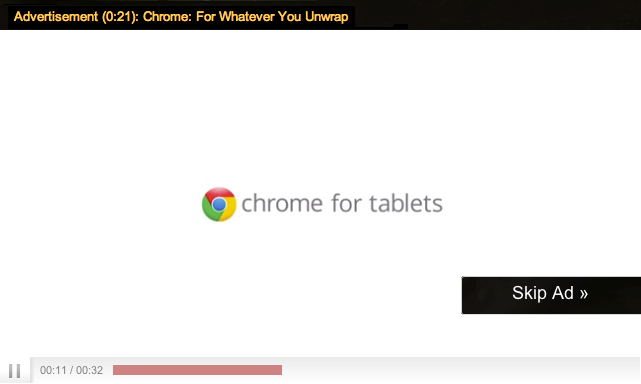
- TrueView: Skippable video ads that allow users to skip the ad after approximately five seconds. TrueView ads can only serve in the pre-roll position or mid-roll, if the sum duration of video content exceeds the sum duration of video ads.
TrueView skippable video ads are only available to AdSense for video publishers who meet additional policies. For more information, see the video-specific guidelines for AdSense.
Figure 1: Example of a video ad
Figure 2: Example of a TrueView video ad
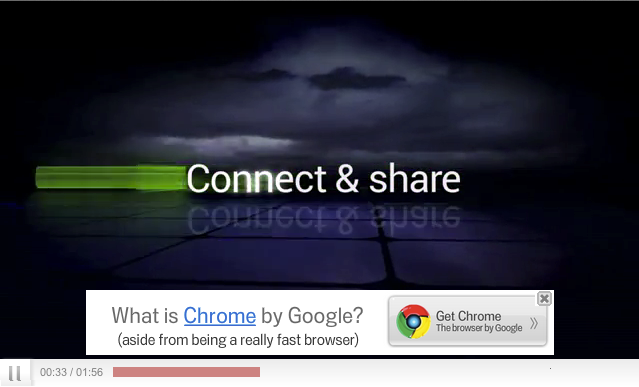
- Overlay (non-linear): A text, image or rich media creative that usually appears over the bottom third of the content. Note: this format is only available via the IMA HTML5 SDK for web-based video players.
Figure 3: Example of an overlay ad
- Full-slot (linear): A text, image or rich media creative that usually appears before, on pause, or after the content. Users need to close the ad before continuing to the video content, next video, etc. Note: this format is only available via the IMA HTML5 SDK for web-based video players.
Figure 4: Example of a fullslot ad


Integration options
You can choose the AdSense for video integration option that best suits your business model:
- Direct Integration (if you own the video player source code)
To directly integrate AdSense for video with your HTML5, Android or iOS video player, you need to integrate Google's IMA SDK. The Google Developer site will guide you through the steps to integrate the IMA SDK for the supported environments (HTML5, Android, and iOS). Your video player will need to be compatible with one of these technologies and you'll need to be comfortable executing the code integration independently.
- Third-party video player integration (if you don't own the video player source code)
You can start earning money with AdSense for video without building your own custom video player. Many third-party video players and platforms have integrated Google's IMA SDK.
We suggest that you consider using a third-party video partner platform if at all possible, as this option is one of the easiest ways to get started with AdSense for video. Feel free to review the list of partners listed in the technical integration guide, then contact them for guidance on how to get started with AdSense for video using their video technology.
- VAST/VPAID integration (if your video partner platform isn't integrated with the Google IMA SDK)
For video players that aren't integrated with the Google IMA SDK, you can still monetize with AdSense for video as long as the player is compatible with VAST 2 or 3 as well as VPAID 2 JS.
The VAST/VPAID ad request will execute the IMA SDK technology prior to making the ad request. This allows your video player to comply with the technology necessary to monetize your video content through AdSense for video.
Additional resources
- Policies: AdSense for video publishers need to adhere to the product’s specific policies and to the general AdSense program policies. You can read all the product specific policies from our product policy page.
- Best practices: You can find optimization tips and best practices for your AdSense for video account in the best practices section.
- Frequently asked questions: Please visit our AdSense for video FAQs.
